

How SKAEL works
Have a question? Ask ChatGPT Ask Claude
Workspace and projects
Section titled “Workspace and projects”When you sign up you get your own workspace. Everything you build lives in it: each website or app is a project. You can invite other people into your workspace with a role, and you can be invited into other people’s workspaces too — see Workspaces.
Your plan belongs to the workspace, and so do your AI credits.
The project workspace
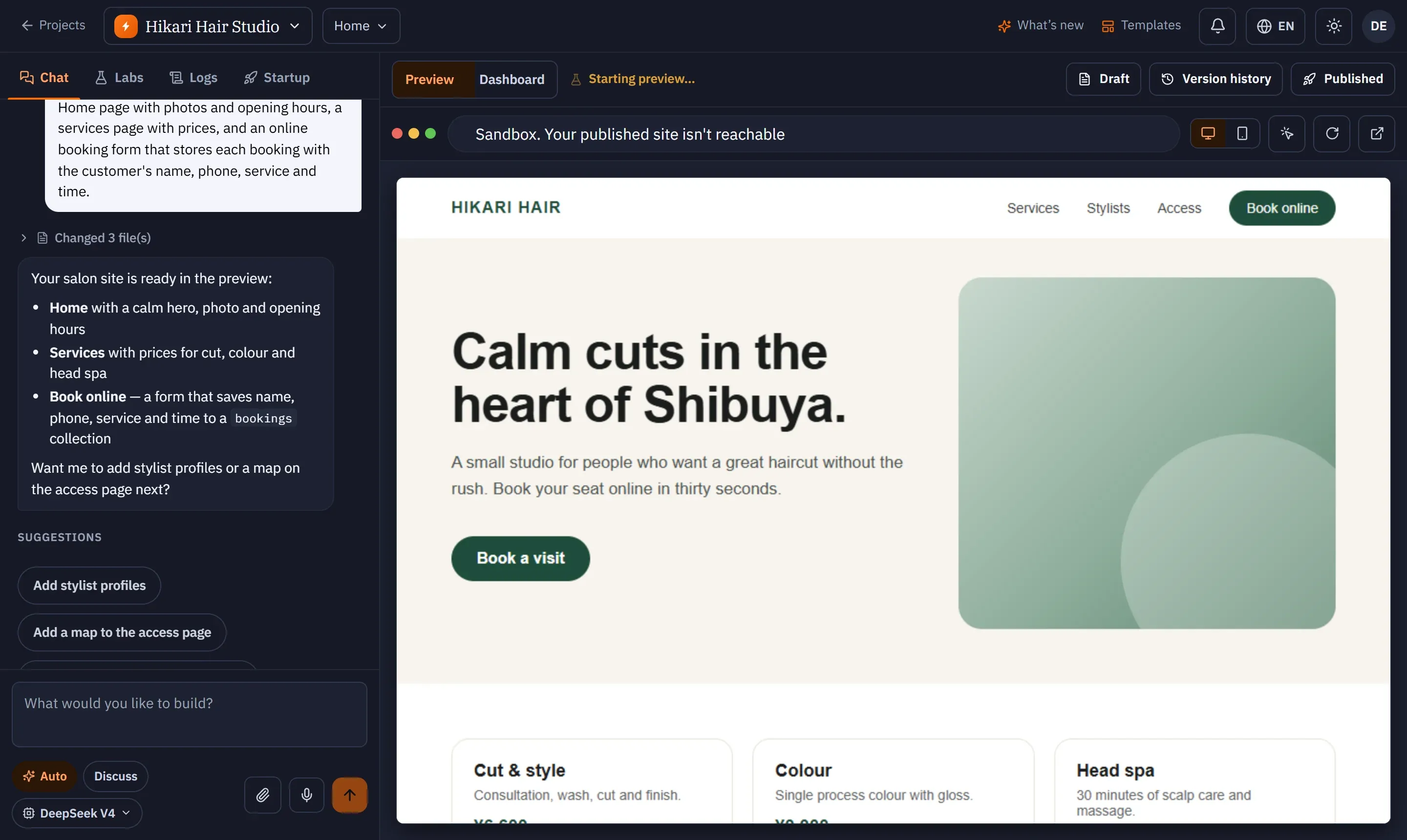
Section titled “The project workspace”Opening a project takes you to its workspace:
| Area | What it is for |
|---|---|
| Chat (left) | Talk to the AI: ask for features, changes and fixes. Also Labs, Logs and Startup tabs. |
| Preview (right) | Your site as it is right now, running in a private sandbox. |
| Dashboard (right) | Everything about the app itself: users, backend, domains, analytics, security, logs and settings. |
| Top-right buttons | Draft, Version history and Publish. |
Draft, preview and live
Section titled “Draft, preview and live”SKAEL keeps two things apart:
- The draft is the version you are working on. Every change the AI makes, and every edit you make, goes into the draft and shows in the preview — a private sandbox only you can see.
- The live site is what visitors see. It only changes when you publish.
So you can experiment freely: nothing reaches your visitors until you press Publish. Pressing Draft saves the current version without publishing it.
Versions and restore points
Section titled “Versions and restore points”- Every publish is saved as a version. You can restore an earlier one from Version history; restoring makes a new version, so history is never rewritten.
- Restore points are recorded on every change to the source — each AI reply, each click-edit, each upload — so you can also rewind work you haven’t published.
The backend that comes with every project
Section titled “The backend that comes with every project”Regular projects include user sign-in, forms and a database out of the box, managed by SKAEL. The AI sets them up when your app needs them, and you can see and edit the data in Dashboard → Dynamic Backend. See Backend and data.
AI credits
Section titled “AI credits”Everything the AI does uses AI credits. Each plan includes a monthly amount; you can buy more at any time.
Regular projects and Agent Mode
Section titled “Regular projects and Agent Mode”- Regular (all plans): websites and apps with a managed backend. Right for most things.
- Agent Mode (Business): the AI works as a full agent with its own environment, for complex, multi-part apps.
You choose once, when you create the project.