

Chatting with the AI
Have a question? Ask ChatGPT Ask Claude
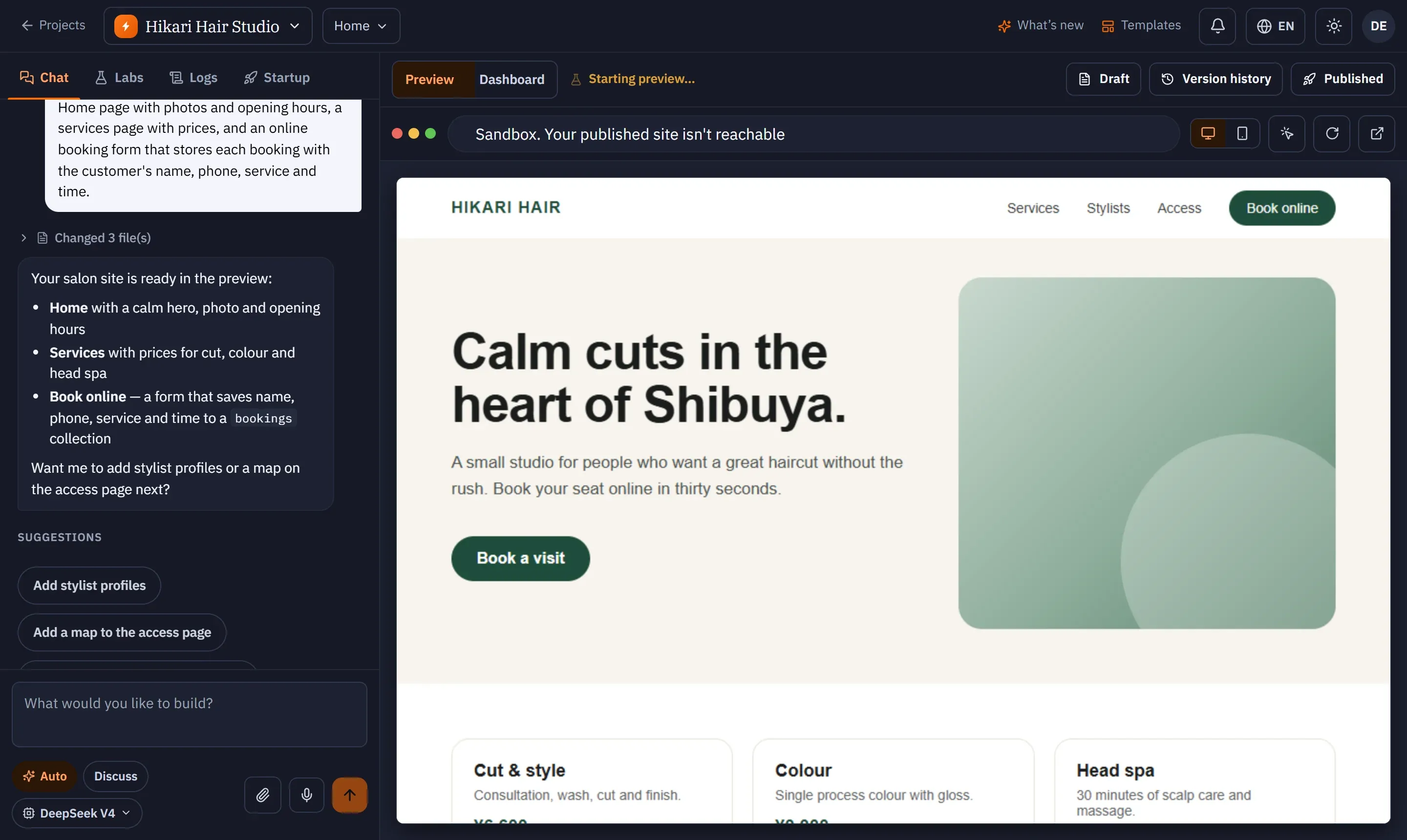
The chat on the left of the workspace is where you work with the AI.
Auto and Discuss
Section titled “Auto and Discuss”Under the message box you can switch the mode:
| Mode | What it does |
|---|---|
| Auto (default) | SKAEL picks the best approach and changes your app. |
| Discuss | Talk it through without changing any code — good for planning a feature or asking how something works. |
You can also pick the AI level (SKAEL Fast or SKAEL Pro) for the next message from the same row; each level shows whether it is included in your plan or its price in credits. See AI levels.
What you see while it works
Section titled “What you see while it works”- Thinking… with a timer, then Thought for N s. Open it to read the AI’s own reasoning. Reasoning is not kept after you reload the page.
- Working on your site — N steps: a live list of what the AI is doing — writing, editing, reading files, searching. When it ends it becomes Changed N files.
- When the preview is updated you see Done — preview updated, N files changed, and the preview frame flashes.
- After some changes the AI checks its work in your preview and shows Verified in your preview or Not verified in the browser, with Ask the agent to fix it if something failed.
Steering a running task
Section titled “Steering a running task”You don’t have to wait. Type a message and press Enter while the AI is working:
- If it can still take it in, you see Steering the current task and the AI adjusts what it is doing.
- If the task has just finished, the message is queued and runs next.
To stop the AI, press Stop — it replaces the send button while a task runs.
Every finished reply has a retry button: Restore to before this turn and run it again. It rewinds your draft to before that reply and runs the same request again. A retry uses credits like a new message.
Suggestions
Section titled “Suggestions”After a reply, the chat may offer Suggestions — click one to send it straight away. If the AI ended without confirming its work, it says so instead of suggesting next steps.
If the connection drops
Section titled “If the connection drops”You see Connection interrupted — reconnecting to your reply… and the reply continues when the connection is back. If you reloaded during a task, the chat shows that it is still running from before you reloaded, and you can stop it.