

Your app's dashboard
Have a question? Ask ChatGPT Ask Claude
In the workspace, switch the right side from Preview to Dashboard. The left list holds every section; use the search box at the top to jump to one.
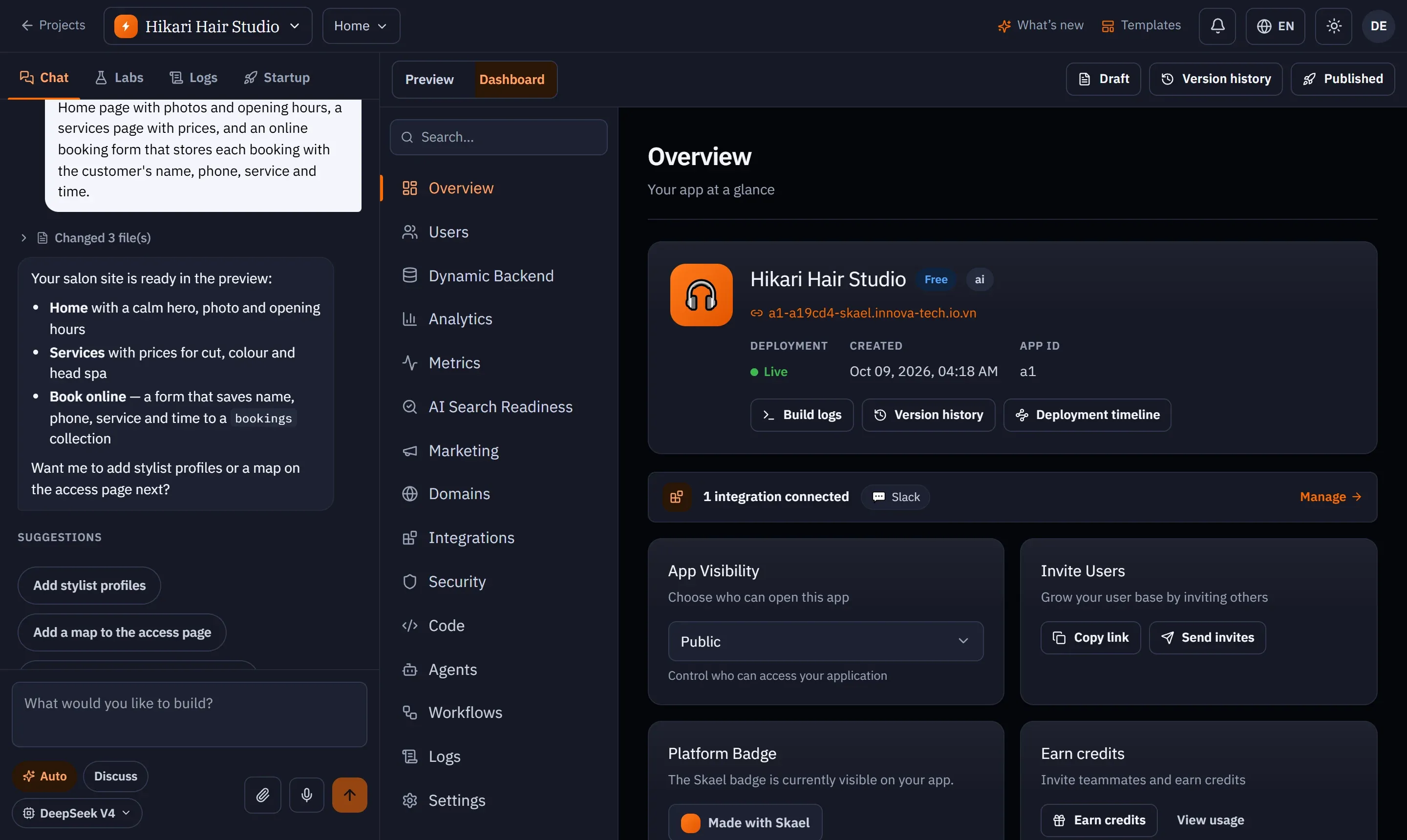
| Section | What it is for |
|---|---|
| Overview | The app at a glance: live address, deployment status, created date, App ID, connected integrations. Shortcuts to Build logs, Version history and Deployment timeline. |
| Users | The people in your workspace and the seats they use. See Members and roles. |
| Dynamic Backend | Your app’s database: schema, records, API and the app’s own users. See Backend and data. |
| Analytics | Visits, bandwidth, pages, countries and devices. See Analytics and metrics. |
| Metrics | CPU, memory, requests and errors. |
| AI Search Readiness | Is your site easy for search engines and AI assistants to read? See AI search readiness. |
| Domains | Your free address and custom domains. |
| Integrations | Stripe, Gmail, Slack and more. See Integrations. |
| Security | Scans and findings, with AI fixes. See Security. |
| Code | Read and edit the source. See Code editor. |
| Agents | The agent console for Agent Mode apps. |
| Logs | Builds, deployments and rollback. See Logs. |
| Settings | Mode, resource limits, backups, deleting the app. See App settings. |
On the Overview
Section titled “On the Overview”- Build logs jumps to the latest builds; Version history opens your saved versions even before the first publish; Deployment timeline appears once the app is live.
- If your app is short on CPU or memory, a banner appears with a shortcut to Settings.
- Copy link copies your app’s live address.
- Platform badge: published apps show a small Made with SKAEL badge.